



Photography and video production have always depended on a combination of technical skill, creative judgment, and careful planning. A successful project involves much more than operating a camera or editing footage. From understanding client requirements and scheduling shoots to managing raw files, reviewing edits, and delivering final assets, every stage requires coordination between people, equipment, and software.
As production requirements become more complex, many creative teams are discovering that their existing software tools do not always support the way they work. A photography studio may use separate applications for bookings, file storage, editing, client communication, and invoicing. A video production agency might handle several projects simultaneously, each involving multiple editors, external collaborators, approval cycles, and delivery formats.
This is where custom software is making a practical difference. Rather than expecting creative professionals to adjust their processes around generic applications, purpose-built software can support the specific requirements of photography businesses, production houses, and visual content teams.
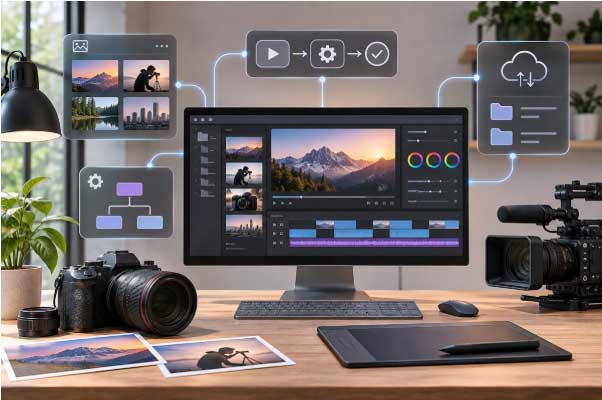
Most photography and videography businesses begin with readily available software. They use editing applications for post-production, cloud storage for file sharing, spreadsheets for project tracking, and messaging platforms for client communication. These tools usually work well when project volumes are manageable and responsibilities are clearly divided.
Problems often appear when a business starts handling more clients, larger productions, or geographically distributed teams. Important information becomes scattered across different applications, making it difficult to understand the status of a project without contacting several people.
Consider a corporate video production involving a director, camera operators, an editor, a motion graphics specialist, and a client representative. The team might maintain schedules in one application, footage in another, feedback in email conversations, and final delivery records in a spreadsheet. When a client requests changes, identifying the correct file version and tracking previous approvals can become unnecessarily complicated.
Custom software addresses these problems by creating workflows around actual production activities. It can bring project information, file references, review stages, and delivery records into a central workspace without replacing the professional editing tools that creative teams already use.
A photography assignment often begins long before the camera is switched on. Client inquiries, estimates, scheduling, location arrangements, equipment planning, permissions, and shot lists all influence how smoothly the assignment progresses.
For commercial and industrial photography, these requirements can be particularly demanding. A photographer documenting a manufacturing facility might need safety approvals, equipment access, production schedules, and coordination with plant personnel before beginning the shoot.
Custom project management software can help studios create structured workflows for different assignment types. Instead of maintaining unrelated documents for every project, teams can use predefined checklists, booking records, equipment requirements, and approval stages suited to each production.
For example, an industrial photography workflow might include site access confirmation, safety instructions, location reconnaissance, equipment preparation, shoot completion, image selection, retouching, and final delivery.
The same platform could offer a different workflow for product photography, where the priorities might involve product inventory, background selection, lighting references, styling requirements, and image specifications for e-commerce platforms.
The biggest advantage is consistency. Teams can maintain reliable records while adapting the workflow to the technical and creative requirements of individual assignments.
High-resolution cameras, RAW image formats, 4K and 8K video recording, and drone footage have significantly increased the volume of media files that production companies handle.
A single assignment can generate hundreds of photographs or several hours of footage. When projects involve multiple cameras, locations, or shooting days, organizing these assets becomes a substantial operational task.
Traditional folder structures can become difficult to maintain when several people need access to the same project. Files may be duplicated, naming conventions can vary, and important footage may become difficult to locate months after delivery.
A custom digital asset management system can help production teams organize visual content using structured metadata and searchable project records.
For example, a video production business could categorize footage according to project name, client, location, camera, shooting date, equipment type, and content category. An editor searching for a particular industrial machine demonstration could identify the relevant footage without manually opening multiple storage folders.
Automated metadata extraction can make this process easier by collecting technical information directly from supported media files. Depending on the system, teams may also create searchable thumbnails, preview videos, and links to archived originals.
This approach becomes particularly useful for companies producing recurring visual content for manufacturers, engineering firms, real estate developers, and corporate clients.
Video editing is a creative process, but managing revisions is often an administrative challenge. Editors need to interpret feedback, identify the relevant scenes, maintain version histories, and confirm which changes have received approval.
Email-based feedback can make this process difficult. A client might refer to a particular scene without identifying its exact location in the timeline, while another reviewer may comment on an earlier version of the same video.
Custom review platforms can support timecoded comments, version comparisons, assigned revisions, and structured approval records.
Imagine an editor sharing a corporate film through a secure client portal. Rather than sending feedback through separate messages, the client can pause the video at a particular timestamp and leave a comment directly on that scene.
The editor receives a clear record of requested changes, while the project manager can monitor outstanding revisions and completed approvals. Once the final version is accepted, the platform can preserve the approval history for future reference.
Such systems do not replace editing applications. Their purpose is to improve coordination around the editing process, allowing creative professionals to spend more time working on visual content and less time tracking conversations.
Artificial intelligence is becoming part of photography and video production software, especially in tasks involving media organization, transcription, tagging, and content discovery.
For example, AI-assisted tools can help identify objects within photographs, generate transcripts from spoken dialogue, suggest relevant media tags, and locate footage based on searchable descriptions.
A production company maintaining thousands of archived videos could potentially search its collection using descriptions such as "factory assembly line with robotic equipment" or "engineer inspecting industrial machinery."
The software could return candidate clips for an editor to review, reducing the need to inspect every file manually. The results would still require human verification, particularly when footage must accurately represent a particular facility, product, or industrial process.
Automation can also support repetitive operational activities such as generating project folders, notifying reviewers, tracking approval deadlines, and preparing delivery records.
Some businesses may choose to develop these functions within their own platforms rather than relying on separate subscription-based services. Working with professionals who can build custom full-stack applications↗ can be useful when a production business needs connected project dashboards, secure client portals, databases, and workflow-specific features.
The objective is not to automate creative judgment. It is to reduce repetitive administrative work while keeping photographers, editors, and production managers responsible for artistic and technical decisions.
Industrial visual production has requirements that are different from conventional promotional photography. Projects may involve operating machinery, restricted manufacturing areas, safety protocols, specialized equipment, and precise technical documentation.
A production team documenting a factory might capture ground-level photography, machinery demonstrations, aerial footage, employee interviews, and safety training content during the same assignment.
Keeping these assets organized requires careful planning, particularly when different departments need separate deliverables.
A purpose-built production platform could maintain records for shooting locations, equipment permissions, project milestones, footage classifications, and client approvals. It could also connect approved media assets with the relevant department, facility, or production process.
This becomes useful for organizations creating recurring employee training and operational documentation. As explained in Digital Studio's article on the benefits of industrial training videos↗, video can support employee education and workplace communication.
Custom software could extend the usefulness of these videos by helping organizations manage training versions, associate content with equipment or operating procedures, and maintain records of updates.
For industrial clients, the value often comes from being able to locate the correct visual documentation when it is needed, rather than simply producing more content.
Photography and videography are no longer limited to conventional images and linear videos. Interactive 360° experiences allow viewers to explore physical spaces, understand layouts, and navigate between different locations.
These formats are especially relevant for factories, commercial properties, showrooms, museums, and industrial facilities where spatial understanding matters.
Digital Studio's 360° photography services↗ demonstrate how panoramic visual content can support remote exploration, facility documentation, and virtual walkthroughs.
Custom software can extend these experiences by adding functionality around the visual content itself. For instance, an industrial virtual tour might allow viewers to select a machine, access supporting documentation, watch an operating demonstration, or open a related training video.
A real estate tour could connect different rooms with property specifications and floor plans, while a manufacturing facility walkthrough could provide restricted access to internal documentation for authorized employees.
Digital Studio also explores these possibilities through its interactive 360° photography and virtual tour workflows↗, where connected viewpoints and clickable elements help viewers navigate complex spaces.
The software behind such experiences can be just as important as the visual quality. Navigation design, loading performance, access controls, media delivery, and device compatibility influence whether the experience is practical for its intended audience.
Modern production projects often involve professionals working from different locations. Camera operators may be on-site, editors may work remotely, and clients may be reviewing content from another city or country.
Without a shared workflow, communication can become fragmented. Team members may have access to different file versions, incomplete instructions, or outdated delivery schedules.
A custom collaboration platform can provide a common project workspace with clearly defined responsibilities and access permissions.
Camera teams could upload shooting reports and media references, editors could update production stages, and project managers could monitor review deadlines. Clients would receive access only to the material relevant to their review or approval.
For companies handling confidential corporate projects, security controls are especially important. Access permissions, authentication, activity records, and controlled sharing can help prevent unauthorized access to sensitive visual material.
These safeguards become particularly relevant when working with industrial facilities, proprietary machinery, internal training footage, or unreleased commercial products.
Not every photography studio or video production company needs a custom-built platform. Small teams with straightforward requirements may find that existing software offers everything necessary to manage their work.
Custom development becomes worth considering when recurring operational problems cannot be addressed adequately through available tools.
For example, a production company might repeatedly spend time transferring information between its booking system, storage platform, editing workflow, and client portal. If these activities create delays across dozens of projects, a tailored system may offer long-term value.
The decision should begin with identifying the problem rather than choosing a technology. A business should examine which activities consume the most time, where errors occur, what information needs to be shared, and which processes could benefit from better software support.
It is often sensible to begin with one clearly defined requirement, such as an automated project intake system or a centralized client review portal. The company can evaluate the results before expanding the platform to other activities.
Costs should also be considered beyond initial development. Hosting, maintenance, security updates, user training, and future modifications all influence the long-term value of a custom system.
A custom software project should be evaluated through improvements in day-to-day operations, not simply by the number of features delivered.
Creative businesses can monitor practical indicators such as the time required to locate archived footage, the number of missed approval deadlines, the average duration of client review cycles, and the hours spent preparing project reports.
For example, if editors previously spent considerable time locating approved versions across shared folders and email threads, the business could compare that activity before and after introducing a central review platform.
Similar measurements can be used for project scheduling, media delivery, and collaboration between departments.
Feedback from photographers, editors, project managers, and clients is equally useful. A platform may look comprehensive on paper but still create difficulties if its interface does not match the way people actually work.
Regular evaluation helps teams refine the system based on genuine production requirements rather than introducing unnecessary features.
Photography and video production will continue to depend on experienced professionals who understand composition, lighting, storytelling, equipment, and the needs of their clients. Software cannot replace the judgment required to capture an important moment or communicate a complicated industrial process through visual content.
What software can do is make the work surrounding those creative decisions more manageable. Better project records, searchable media libraries, structured client reviews, and connected production systems can help businesses handle increasingly complex assignments without losing control of their processes.
The most useful custom platforms are not necessarily those with the largest number of features. They are the ones designed around real production challenges, built with input from the people who use them, and improved as business requirements change.
For photography studios, video production agencies, and industrial documentation teams, the opportunity lies in finding the right balance between creative expertise and practical technology. When software handles repetitive coordination and information management, production professionals can devote more attention to the work that matters most: creating accurate, engaging, and professionally executed visual content.